How Does GPS Tracking Work in Luggage?

A tracker sends its location to your phone. It uses satellite signals to estimate where the bag is, then shares that information through phone service or a network of nearby compatible devices. The location pin is the latest update the tracker could send, not always the bag’s exact position right now.
Updates depend on the tracker’s design, whether it has power and is switched on, and whether it can connect where the bag is. A tracker that relies on nearby devices may go quiet when none are close, while one using phone service needs coverage. The app also needs to be set up correctly before you leave. Here’s how those connections work and what to check before your trip.

- TLR Rank9.7
TLR Rank is a ranking system developed by TravelLuggageReviews.com. TLR Rank has no relationship or impact from any manufacturers or sales agent websites. Learn more
- BrandSweetcrispy

- TLR Rank7.5
TLR Rank is a ranking system developed by TravelLuggageReviews.com. TLR Rank has no relationship or impact from any manufacturers or sales agent websites. Learn more
- BrandAmazon Essentials
Last update on 2026-11-15 / Affiliate links / Images, Product Titles, and Product Highlights from Amazon Product Advertising API
A tracker finds a location, then reports it
A luggage tracker needs more than a location pin to show you where your bag is. It must figure out where it is, have a way to send that information, and have enough power to do so. Your phone then displays the latest location the tracker has reported.
GPS uses signals from satellites to estimate a location. The tracker may use that estimate to identify where the bag is, but GPS signals alone do not send the location to your phone. A separate connection, such as phone service or a network of nearby devices, must carry the information.
Think of the tracker as a small device that takes two steps: it works out where it is, then sends a message about that location. The app puts the message on a map. The map pin is useful, but it may show where the bag was the last time the tracker could send an update, not where it is right now.
For example, if your bag is moving through an airport and the tracker can report its location, the pin may change as new updates arrive. If the bag is inside a closed cargo area or beyond the tracker’s connection, the app may keep showing an older location. A map can’t fill in information the tracker hasn’t been able to send.
Trackers report locations in different ways
Some trackers use a cellular connection, similar to the connection a phone uses to send information over long distances. A tracker with this kind of connection can report its location without your phone being close, as long as the tracker has power and usable phone service. The tracker may also need an active plan or service, so check the manufacturer’s details before relying on it.
Other trackers use a tracking network. Nearby compatible devices can detect the tracker and help report its location to the network, which then makes the update available in your app. Your own phone may not need to be near the bag, but another compatible device does need to come within range and be able to pass along the information.
Some small trackers rely on a direct connection to your phone, often through a short-range wireless signal. These can be useful when your bag is close, such as in a hotel room or nearby baggage area. If the bag moves out of range, your phone may stop receiving direct updates. A wider tracking network can help only if the tracker and the network support one.
These approaches aren’t interchangeable. A tracker that depends on nearby devices may update in a busy airport but not in a quiet location. A tracker that uses phone service may reach farther, but it still needs power and coverage where the bag is. Read the tracker’s description to learn which connection it uses and what it needs to report a location.
Also check whether the tracker itself works out its location or relies on a nearby phone to do so. Product descriptions can use “GPS” loosely, even when a tracker mainly reports its location through a nearby device network. Confirm the exact method in the manufacturer’s information rather than assuming that every tracker uses satellites and works the same way.
Check setup before you leave
Set up the tracker at home, while you have time to fix a problem. Follow the manufacturer’s instructions, then open its app and confirm that the tracker appears under your account. If the app asks for permission to use Bluetooth, location services, or notifications, review the request and allow the settings needed for the feature you plan to use.
- Check power. Look at the tracker’s battery level in the app, if shown, or follow the maker’s instructions for checking or replacing its battery. Charge or replace it before travel if needed.
- Check that it is on. Use the tracker’s app or its indicator, following the instructions for that model. A tracker that is switched off can’t send fresh updates.
- Check the app connection. Confirm that the app shows the tracker and can display its current or most recent location. Make sure your phone has internet access when you check.
- Check location-sharing settings. Confirm that the needed permissions are enabled and that the app is signed in to the right account. If more than one person may need to find the bag, check how the maker allows you to share access.
- Check the tracker’s connection needs. Find out whether it needs phone service, nearby compatible devices, or a direct connection to your phone. Verify any service plan or account requirement in the manufacturer’s instructions.
- Choose a sensible spot in the bag. Follow the maker’s placement advice. Keep the tracker secure, and don’t bury it in a way that blocks its signal if the instructions warn against that.
Do one final check before you leave: open the app, confirm the tracker is listed, and look for a recent location. If the app shows an old location while the bag is beside you, check the power, permissions, and connection before starting the trip. Follow the maker’s steps to refresh or reconnect it, then confirm that the app updates.
Don’t wait until your bag is missing to learn how the app works. Find the screen that shows the last reported location, and learn how the app marks an older update. Some apps also show when a tracker was last seen or send an alert after a connection changes. The labels and alerts vary, so check the app’s help section for your model.
Updates can pause for several reasons
A location that stops changing does not always mean the tracker has failed. It may mean the tracker has not been able to send a new report. The app may still show the last location it received, which can help narrow down where the bag was, but it is not proof that the bag remains there.
Weak or missing signal is one common reason for a pause. Phone service may not reach every place a bag travels, and a tracking network needs compatible devices nearby to pass along an update. Walls, enclosed spaces, and the bag’s surroundings can also affect a connection. The exact effect depends on the tracker and conditions around it.
Power matters, too. A tracker with a drained battery or one that has been switched off can’t keep reporting. Some devices may also reduce how often they send updates to conserve power. Check the maker’s instructions for what the app’s battery information means and how the tracker behaves when power is low.
The app or phone can be part of the problem. If your phone has no internet connection, the app may not load an update even if one exists. If permissions were turned off, the app may not work as expected. Check your phone’s connection and the app settings before deciding the tracker has stopped working.
A delay is not the same as a precise, live location. A tracker may report at intervals, or it may report only when a connection is available. The time shown in the app is important: look for a label such as “last seen” or a time stamp, and treat an old update as a clue rather than a current position.
Don’t open the tracker or try to repair its battery or electronics yourself. Use the maker’s instructions for charging, replacing a battery, or restarting the device. If the tracker becomes hot, looks damaged, or has a swollen battery, stop using it and follow the manufacturer’s safety guidance.
Tracking helps, but it can’t guarantee recovery
A tracker can give you useful information, but it can’t guarantee that you’ll find a missing bag. It may have no power, lack a connection, or show only an earlier location. A location pin also can’t identify who has the bag or make an airline, airport, or other person return it.
If the bag doesn’t arrive, use the location as one source of information and act through the airline or carrier’s normal baggage process. Don’t go into restricted areas or confront someone based only on a map pin. Location reports can be delayed or approximate, and the pin may point to a general area rather than an exact spot.
- Check the update time. Open the app and note when the location was last reported. If it is old, don’t assume the bag is still at that spot.
- Check your own connection. Confirm that your phone can access the internet and that you’re signed in to the tracker’s app. Refresh the app as its instructions allow.
- Check the tracker’s status. Look for battery, connection, or last-seen information. If the app says the tracker is offline, use that as a sign that a fresh location may not be available.
- Contact the airline or carrier. Report the missing bag through its baggage service desk or official contact method. Give them the bag’s description and any claim details they request.
- Share useful location information carefully. Tell the carrier when and where the app last showed the bag, making clear if the location is old. Follow the carrier’s instructions instead of trying to retrieve the bag from a restricted or unsafe place.
- Keep checking for updates. If the tracker reconnects, the app may receive a newer location. Pass relevant new information to the carrier, but continue following its official process.
A tracker is best treated as a backup source of information, not a replacement for labeling your bag or reporting it missing. If you’re concerned about your carry-on being taken at the gate, review the airline’s size rules and ways to avoid a gate check. A tracker can help you see a reported location, but it can’t control whether an airline needs to move your bag.

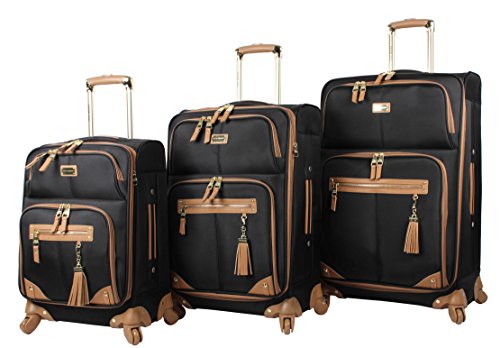
Best Affordable Carry On Luggage 2026 - 11 Most Loving

The 12 Best Carry On Luggage For Bad Back 2026 - Top Choices

Best Lightest carry on luggage with wheels in 2026

Top Airport Traveling Suitcases: Our 11 Best Picks
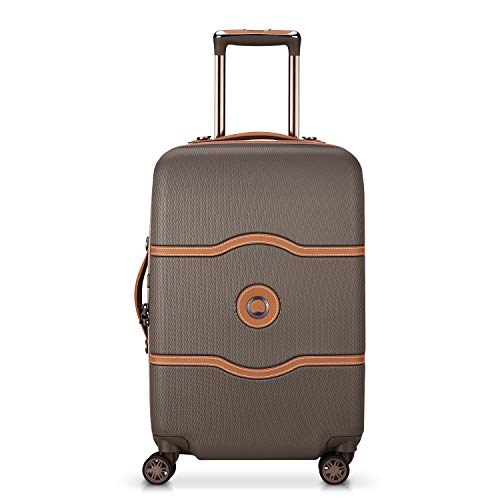
The Best Delsey Paris Luggage Set 2026
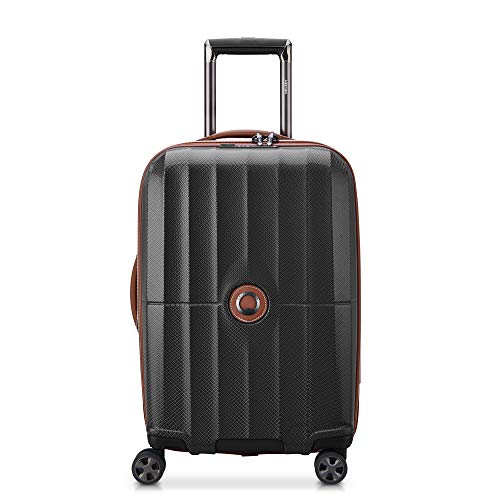
Top 10 Delsey Softside Luggage Picks for Stress-Free Travel

11 Best Guest Room Luggage Rack of 2026 To Protect Clean Bedding

11 Best Grom Luggage Rack of 2026 For Direct Bolt-On Fit