How to Avoid Foreign Transaction Fees When Traveling Abroad

Foreign card fees are manageable, and a quick check before you leave can prevent many surprises. Use a card with no foreign transaction fee, and choose the local currency if a checkout screen or ATM offers to charge you in U.S. dollars.
The exact cost depends on your card’s terms and whether you pay, withdraw cash, or use a digital wallet linked to that card. Cash withdrawals may bring separate fees or interest, and the dollar conversion offered by a merchant or ATM can add its own cost. Check your card’s rules before departure, then review your account after purchases. Here’s what to look for and what to do if a charge appears.

- TLR Rank9.7
TLR Rank is a ranking system developed by TravelLuggageReviews.com. TLR Rank has no relationship or impact from any manufacturers or sales agent websites. Learn more
- BrandSweetcrispy

- TLR Rank7.5
TLR Rank is a ranking system developed by TravelLuggageReviews.com. TLR Rank has no relationship or impact from any manufacturers or sales agent websites. Learn more
- BrandAmazon Essentials
Last update on 2026-11-23 / Affiliate links / Images, Product Titles, and Product Highlights from Amazon Product Advertising API
Know when a foreign transaction fee can appear
A foreign transaction fee is a charge your card issuer may add when a purchase or cash withdrawal is processed outside the United States. The fee may apply even if the amount on the screen is shown in U.S. dollars. What matters is your card’s rules and how the payment is processed, not just the currency you see.
You might see the fee after buying lunch, paying for a hotel, or ordering something from a company based abroad before your trip. A foreign purchase made from home can sometimes count too. Check the card terms for the issuer’s definition, because one card may treat a transaction differently from another.
Keep separate fees in mind. A foreign transaction fee comes from your card’s terms. A merchant or ATM may offer its own conversion into dollars, and an ATM operator may charge a separate fee. A cash withdrawal on a credit card may also count as a cash advance, which can bring a separate fee and interest. These charges can appear together, so look at each line of the receipt and account activity.
A digital wallet does not automatically remove card fees. If a wallet uses a credit or debit card for payment, the linked card’s terms may still apply. Check the card used for that particular payment, especially if your wallet can switch between several cards.
Check your card terms before you leave
Review every card you might use abroad, including your main card and backup. Do this before departure, while you still have time to choose a different payment method or ask the issuer a question.
- Find the card’s fee information. Open the issuer’s app or website and search for the card agreement, fee list, or account terms. You can also call the number on the back of the card. Look for “foreign transaction fee” and read the wording around it, rather than relying on a general statement about the card.
- Ask what counts as a foreign transaction. Confirm whether the fee can apply to purchases made abroad, online purchases processed outside the United States, or transactions billed in a currency other than dollars. Ask whether the rule differs for purchases, cash withdrawals, and wallet payments. If the answer is unclear, ask the issuer to explain a sample purchase in plain language.
- Check cash withdrawal rules separately. Ask whether using the card at an ATM creates a cash advance, whether the issuer charges a withdrawal fee, and when interest starts. A debit card may draw from your bank account, but it can still have foreign transaction or ATM fees. The exact rules depend on the card and account.
- Confirm which card your wallet will use. Open your digital wallet and check the selected payment card. Then review that card’s terms. Paying with a phone changes how you present the card, but it may not change the fees attached to the underlying account.
- Ask how to reach the issuer from abroad. Save the issuer’s contact details in your phone and keep them somewhere you can access without a data connection. Ask how to report a card problem or question a charge while traveling. Do not share your card number or security code in an unsolicited message or call.
If one card has no foreign transaction fee and another does, use the no-fee card for eligible purchases. Keep the terms handy or save a screenshot, but remember that the issuer’s current card agreement is the final source for that card’s rules. If you plan to book a hotel or other trip expense before leaving, check the card you intend to use for that purchase too.
Choose local currency when a terminal offers dollars
At checkout, a card terminal may ask whether you want to pay in the local currency or U.S. dollars. Choose the local currency. That lets your card network and issuer handle the conversion, while choosing dollars lets the merchant or payment provider set the conversion rate.
The dollar option can feel reassuring because the total looks familiar. But the rate or added conversion cost may be less favorable, and the screen may not make the difference easy to spot. For example, if a restaurant terminal offers to show your meal in dollars, select the local currency instead of accepting the displayed dollar amount.
The same choice can appear at an ATM. If the machine offers to convert your withdrawal into dollars, decline that conversion and continue in the local currency, if the machine allows it. Read each screen carefully. The wording varies, and a button marked “accept” may approve the machine’s conversion rather than simply approve the withdrawal.
Choosing local currency does not guarantee that no fee will apply. Your card may still charge its own foreign transaction fee, and the ATM operator may still charge a separate fee. Local currency helps you avoid accepting a conversion set by the merchant or ATM, but it does not override the card agreement.
- Choose local currency when a shop, restaurant, hotel, or ATM asks how to convert the transaction.
- Decline the merchant’s conversion if you do not want the merchant or payment provider to set the dollar amount.
- Check the confirmation screen before you tap, insert, or enter your PIN. Make sure the currency shown is the local one.
- Keep the receipt if the amount or currency is unclear. It can help you compare the purchase with the charge later.
Plan cash withdrawals and bring a backup card
Cash can be useful for small purchases or places that do not take cards, but ATM withdrawals can involve more than one charge. Before using an ATM, check your card’s withdrawal terms and read the machine’s fee notice. If the machine displays a fee you do not accept, cancel before confirming the withdrawal.
- Use a debit card for cash only after checking its foreign transaction and ATM fees.
- Ask your bank whether a credit card withdrawal will count as a cash advance. If it will, check the fee and interest terms before proceeding.
- When offered a currency conversion, select the local currency rather than the ATM’s dollar conversion.
- Take only the amount of cash you reasonably need, and keep your card and PIN private. Cover the keypad while entering the PIN.
- Bring a second payment card from a different account or issuer, if available. Keep it separate from your main card so one lost wallet does not leave you without a way to pay.
- Save the issuer’s phone number and know how to freeze or lock a card in its app. Make sure you can access the account if your phone is lost or unavailable.
A backup card is there for a declined payment, a lost card, or an account issue. It is not automatically fee-free, so check its terms before relying on it. You can also ask your bank how to get help if an ATM keeps your card or a payment is declined.
Review charges and question an unexpected fee
After a purchase or cash withdrawal, compare the receipt with the transaction in your card account. Some transactions may first appear as pending, meaning the final amount has not yet been settled. Check again when the charge is finalized, and compare the currency, converted amount, and any separate fee line.
- Open the transaction details. Look for the merchant name, purchase amount, currency, and any fee listed separately. A charge may show a different business name from the shop where you paid, so compare the date and amount with your receipt.
- Check the card terms again. See whether the fee matches the rule for that card and type of transaction. A card fee, ATM operator fee, and conversion charge may come from different sources. Do not assume one fee explains every difference in the total.
- Contact the card issuer if something does not match. Use the number on the card or the issuer’s official app or website. Give the transaction date, amount, merchant, and currency, and ask what the fee represents. Ask whether the charge came from the card terms, the merchant, or the ATM operator.
- Ask what options are available. If you believe the charge is wrong, explain why and ask how to raise a dispute or request a review. The issuer can explain its process and any deadline that applies to your account. Keep the receipt and a note of the conversation.
- Secure the account if you see a purchase you do not recognize. Contact the issuer promptly through an official channel, and lock the card in the app if that option is available. Follow the issuer’s instructions for reporting the transaction.
If the fee is valid under your card terms, ask the issuer whether it can explain how to avoid that type of charge on future transactions. For a merchant or ATM conversion, the issuer may not control the rate or charge, but the receipt and transaction details can help identify who applied it.
FAQs
Can a purchase in U.S. dollars still lead to a foreign transaction fee?
It can, depending on your card’s terms and how the transaction is processed. A dollar amount on the screen does not prove that the card issuer will treat the purchase as domestic. Ask the issuer how it handles purchases from that merchant or country.
Does using a debit card avoid foreign transaction fees?
Not automatically. Debit cards may have foreign transaction, ATM, or currency conversion charges, and the rules vary by account. Check the bank’s fee list before traveling.
Does paying with a digital wallet prevent extra charges?
Not necessarily. A wallet payment may still use a linked credit or debit card, and that card’s fees may apply. Check which card the wallet selected and review that card’s terms.
What should I do if I already accepted a dollar conversion?
Save the receipt and review the finalized charge in your account. Ask the card issuer what fees it added, and contact the merchant or ATM provider if you need to ask about its conversion. Whether a charge can be changed or refunded depends on who applied it and the circumstances.


Best Affordable Carry On Luggage 2026 - 11 Most Loving

The 12 Best Carry On Luggage For Bad Back 2026 - Top Choices

Best Lightest carry on luggage with wheels in 2026

Top Airport Traveling Suitcases: Our 11 Best Picks
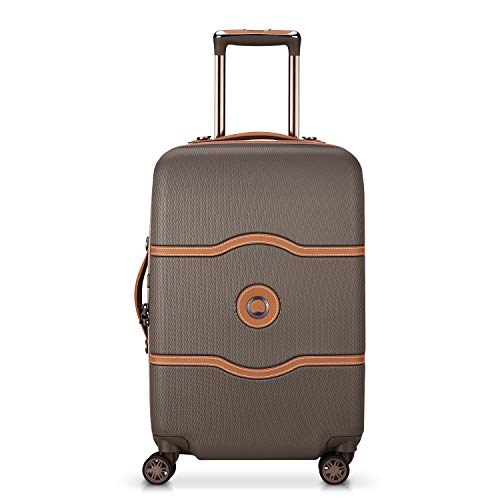
The Best Delsey Paris Luggage Set 2026
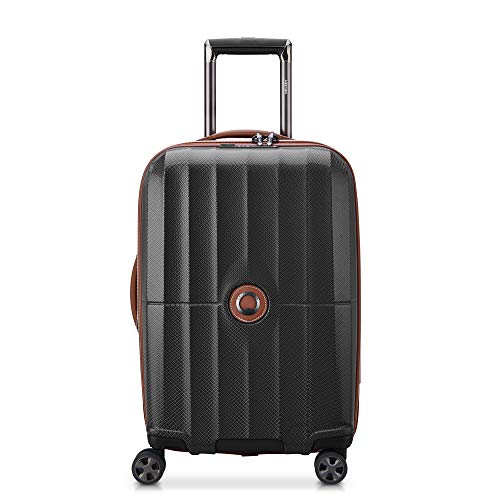
Top 10 Delsey Softside Luggage Picks for Stress-Free Travel

11 Best Guest Room Luggage Rack of 2026 To Protect Clean Bedding

11 Best Grom Luggage Rack of 2026 For Direct Bolt-On Fit