What Should You Check Before Flying With Smart Luggage?

Many travelers assume smart luggage can go through the airport just like any other carry-on. Usually it can, but the battery may need to come out, and airline rules can differ. Check your airline’s battery rules and the bag’s instructions before you leave so you’re not caught sorting it out at the gate.
The right steps depend on whether the battery is removable, how the airline handles battery-powered bags, and whether your luggage fits its size and weight limits, including wheels and handles. A bag that might be gate-checked needs extra planning, too. Here’s what to check, what to keep with you, and how to manage the smart features if they stop working.

- TLR Rank9.7
TLR Rank is a ranking system developed by TravelLuggageReviews.com. TLR Rank has no relationship or impact from any manufacturers or sales agent websites. Learn more
- BrandSweetcrispy

- TLR Rank7.5
TLR Rank is a ranking system developed by TravelLuggageReviews.com. TLR Rank has no relationship or impact from any manufacturers or sales agent websites. Learn more
- BrandAmazon Essentials
Last update on 2026-11-15 / Affiliate links / Images, Product Titles, and Product Highlights from Amazon Product Advertising API
Check airline and bag rules before you leave
Start with the airline operating each flight, not just the airline that sold your ticket. If your trip includes a connection or a partner airline, the rules may differ from one flight to the next. Look up the current carry-on and battery rules for every airline on your itinerary.
Then check the bag’s manual or the maker’s travel instructions. Find out whether the battery comes out, how to remove it, and whether the bag’s tracking or charging features need to be switched off. If the instructions are unclear, ask the maker before travel rather than trying to figure it out at the gate.
Use this quick checklist before packing:
- Confirm the airline’s current rules for smart luggage batteries.
- Check whether your bag’s battery can be removed, and learn how to take it out.
- Look up the airline’s carry-on size and weight limits, including the wheels and handles.
- Find out what to do if the bag must be checked at the gate.
- Charge, set up, and learn the smart features you plan to use.
Save the airline’s rules and the bag instructions on your phone, or keep a copy where you can reach it. Airport staff may ask you to remove the battery or move the bag to the hold when overhead space runs out. Having the instructions ready can make a rushed decision easier.
Pay attention to the exact flight, too. A bag that fits one airline’s carry-on size may be too large for another airline’s sizer. If you are unsure, compare your bag’s outer measurements, including wheels and handles, with each airline’s published limit. For help thinking through airline size differences, see this guide to luggage sizing for international airline rules.
Follow the airline’s battery rules
Smart luggage may use a battery for charging, tracking, or another built-in feature. Airlines set rules for batteries, and the rules can depend on the battery and whether it can be removed. There is no single rule that safely covers every bag and flight, so check both the airline’s current instructions and the bag maker’s guidance.
If the airline requires the battery to be removed before the bag goes into the hold, make sure your battery can come out and that you know how to do it. Practice the removal steps at home by following the maker’s instructions. Keep any tool the instructions require somewhere you can reach, not buried under clothes.
If the battery is built into the bag and cannot be removed, do not assume the airline will allow it. Ask the airline before you leave. If the rules do not allow the bag in the cabin or the battery in checked baggage, you may need to travel with a different bag.
Keep a removable battery with you if the airline or bag instructions say to do so. Protect it from damage and from contact with loose metal items, such as keys, that could touch its connection points. Do not pack a damaged, swollen, unusually hot, or leaking battery. Stop using it and contact the bag maker for safe handling advice.
Before leaving home, charge the battery only as the maker directs. Check that the battery and its cover are secure, and learn how to turn off charging or other powered features. If an airline worker asks you to remove the battery, you should be able to explain what you are doing and put it away safely without unpacking the whole bag.
Airline instructions can change, and the bag’s own rules still matter. If the airline’s website and the bag manual seem to conflict, contact the airline and the maker for clarification before travel. Do not rely on a rule you remember from another trip or another carrier.
Keep the bag within carry-on limits
Check the airline’s size and weight limits before you pack. Measure the full outside of the bag, including wheels, handles, and any parts that stick out. Compare those measurements with the airline’s carry-on limit, because the overhead-bin space and the airport sizer have to accommodate the bag’s whole shape.
Weigh the packed bag if the airline sets a carry-on weight limit. The bag’s empty weight does not tell you whether it will stay under the limit after you add clothing, a laptop, chargers, and other items. Leave room for a small change in what you carry, especially if you may collect items during the trip.
Do not rely on the bag’s label saying “carry-on” as proof that it fits every airline. Allowances can vary by airline, route, and ticket. If a flight has stricter limits than the rest of your trip, pack to the strictest limit so you are not forced to move items at the gate.
Overhead space can fill up even when your bag meets the published size rules. A crew member may ask you to gate-check it, which means the bag is taken from you at the gate and placed in the hold. For ideas about reducing the chance of a gate check, see these carry-on options for avoiding gate checks, but remember that no bag can guarantee overhead space.
Before boarding, keep anything you cannot easily replace close at hand. The next section covers what to remove if the airline takes your bag at the gate.
Pack for a possible gate check
Prepare as if you might have to hand over the bag at the boarding door. Keep essential items in a small personal bag that stays with you, and make sure that bag fits the airline’s separate personal-item rules. Do not wait until staff ask for your suitcase to decide what must come out.
Use these steps before you board:
- Move essentials out first. Keep medications, identification, travel documents, valuables, and items you need during the flight in the bag that stays with you. Follow airline rules for items that cannot go in checked baggage.
- Keep the battery accessible. If the airline requires a removable battery to travel in the cabin, remove it as directed before handing over the suitcase. Place it in a protected spot where you can keep it with you.
- Take out fragile or urgently needed items. Remove anything that could break or that you will need soon after landing. A gate-checked bag may not be available until you reach the baggage claim area.
- Switch off features when appropriate. Follow the bag maker’s instructions for turning off charging or other powered functions before the bag is taken away. Do not leave a feature running if the airline or maker says to turn it off.
- Ask where the bag will be returned. Staff can tell you whether to expect it at the aircraft door or at baggage claim. Keep any gate-check tag or claim slip until the bag is back in your hands.
Keep the bag’s tracking feature ready, but do not treat it as a substitute for the gate-check tag. The tag is the airline’s way to identify and return your bag. A tracker may help you see its location if the feature works, but it cannot guarantee quick delivery or replace the airline’s bag-handling process.
If you are asked to gate-check the bag and cannot remove a battery that the airline requires you to remove, tell the staff before handing it over. Show them the bag instructions if helpful, and ask what they want you to do. Do not hide the battery issue or leave a battery in the bag against the airline’s directions.
Use smart features as a backup
Set up tracking at home, where you have time to follow the instructions and confirm the bag appears in the right app or account. Learn how to refresh its location and how to tell when the location was last updated. A tracking feature may not show a live position at every moment, so a delayed location does not necessarily mean the bag is lost.
Keep your phone charged and make sure you can open the app or account connected to the bag. If the app needs a login, check that you know the password before leaving. Do not store the only copy of a password or travel detail inside the bag that the tracker is meant to find.
Some smart features depend on the bag’s battery, your phone, a wireless connection, or the maker’s app. Their availability and setup differ by bag. Read the manual to learn which features work without a charged battery and which need your phone nearby.
Have a simple backup plan. Write down your bag’s make and appearance, keep a photo of it on your phone, and save the airline’s contact details. Put a name and a way to reach you on the bag, while avoiding personal details that you do not want visible to strangers.
If tracking stops updating, first check whether the bag’s battery is charged and whether the app is open and connected as the maker directs. Then follow the app’s instructions for refreshing or reconnecting. If the feature still does not work, use your bag tag and contact the airline’s baggage desk rather than waiting for the tracker to fix itself.
If charging stops, do not keep connecting a battery that is hot, damaged, or giving off an unusual smell. Turn it off if you can do so safely, keep it away from flammable items, and follow the airline and maker’s safety instructions. Contact the maker for guidance, and tell airline staff promptly if the battery appears damaged or unsafe.
Smart features can be useful, but ordinary travel habits still matter. Keep your boarding information and essential belongings with you, watch the gate announcements, and be ready to remove the battery or hand over the bag. That way, a dead battery or missing connection does not leave you without a plan.


Best Affordable Carry On Luggage 2026 - 11 Most Loving

The 12 Best Carry On Luggage For Bad Back 2026 - Top Choices

Best Lightest carry on luggage with wheels in 2026

Top Airport Traveling Suitcases: Our 11 Best Picks
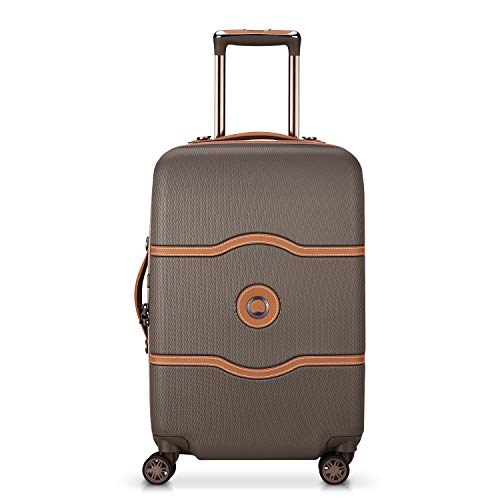
The Best Delsey Paris Luggage Set 2026
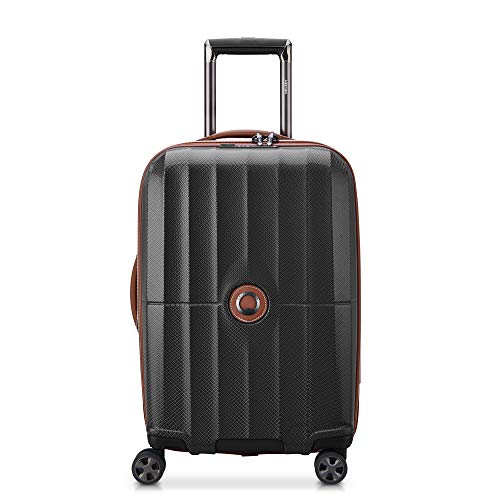
Top 10 Delsey Softside Luggage Picks for Stress-Free Travel

11 Best Guest Room Luggage Rack of 2026 To Protect Clean Bedding

11 Best Grom Luggage Rack of 2026 For Direct Bolt-On Fit