What Are the Future Trends in Smart Luggage Technology?2026

Before buying, check whether the battery can be removed and whether the features work without a steady phone connection. Smart luggage is likely to get better at helping you find belongings, charge devices and secure what you pack, but those improvements may not work the same way everywhere. A useful feature today could also become frustrating if an airline restricts the battery or the phone app stops receiving support.
What makes a feature worth having depends on airline battery rules, phone compatibility and coverage during your trip. Location tracking, for example, may help show where a bag was last seen, but it may not update when the bag or phone has no connection. Focus on features that solve a real travel problem, and treat added technology as a bonus only if it remains useful on your routes. Here’s what may improve and what to check before you choose.

- TLR Rank7.5
TLR Rank is a ranking system developed by TravelLuggageReviews.com. TLR Rank has no relationship or impact from any manufacturers or sales agent websites. Learn more
- BrandAmazon Essentials
Last update on 2026-11-15 / Affiliate links / Images, Product Titles, and Product Highlights from Amazon Product Advertising API
Look for useful upgrades in tracking, charging, and security
Future smart carry-ons are most likely to improve the parts of travel that cause everyday frustration: finding a bag, keeping a phone charged, and knowing when someone opens or moves the luggage. The useful change may not be a dramatic new feature. It may be a clearer app, a battery that is easier to remove, or a tracking alert that is easier to understand while you’re rushing to a gate.
Some bags already combine phone connections, location tools, charging ports, and electronic locks. Those features don’t all work in the same way, and a bag’s label alone won’t tell you whether a feature will help on your trips. Future versions may connect more smoothly with phones and travel services, but that depends on companies continuing to support the apps and on the bag having a way to communicate.
Use this short checklist to separate a practical improvement from a feature that sounds impressive but may not help:
- Finding a bag: Check whether the bag reports its location on its own or only shows where your phone last connected to it.
- Charging: Find out whether the bag has a built-in battery or simply holds your own power bank, and whether you can remove the battery.
- Security: Ask what the lock or alert actually does. A phone notice that a zipper was opened is different from a lock that prevents someone from opening the bag.
- Phone support: Confirm that the app works with your phone and that the maker still supports it.
These details matter more than the word “smart.” If you mostly want to know where your bag is after an airline hands it off, location tracking may be worth considering. If you usually keep your luggage beside you and carry a separate charger, other smart features may add little.
Know what tracking can do when your phone loses signal
A bag cannot send you a fresh location just because it has a tracking feature. It needs a way to share that information, such as a nearby phone connection or a separate connection that the tracking service supports. If the bag is out of reach and cannot connect, the app may show an old location rather than the bag’s current position.
Think of a phone connection as a conversation between your phone and the bag. If you leave the bag in a hotel room and walk far away, that conversation may stop. Some tracking tools can use other nearby devices or a separate network to help report a location, but coverage and results depend on the specific system and surroundings.
Airports can make location updates confusing. A bag may be inside a crowded terminal, behind walls, or in a loading area where connections are limited. The map might show a broad area, or it might take time to refresh. A tracking alert can help you ask better questions, but it does not guarantee an exact location or prove that the airline has lost the bag.
Before relying on tracking, check the bag maker’s description for what happens without your phone nearby. Look for whether the feature needs a subscription, a working app, or other nearby devices. Also check how often the location may update and what the app shows when it cannot get a new signal. If those details are vague, assume that the map may not always be current.
Keep a simple backup. Put your name and contact details inside the bag, and keep the airline’s bag receipt until your luggage is back with you. If the app shows a location but you cannot retrieve the bag, contact airport or airline staff rather than trying to enter a restricted area yourself.
Check the battery rules before you fly
Battery rules can affect whether a smart carry-on is convenient to fly with. Airlines may have limits on the batteries allowed in luggage, and a removable battery can be easier to handle if an airline requires you to take it out. The exact rules depend on the battery and the airline, so don’t assume that a bag is allowed just because it is sold as carry-on luggage.
Before a trip, read the battery label and the bag’s instructions. Then check the airline’s current guidance for batteries and carry-on baggage. If you’re flying with more than one airline, check each carrier’s rules, since a connection can bring another set of requirements.
- Find the battery: Check whether it is built into the bag, stored in a pocket, or supplied separately.
- Check whether it comes out: Read the instructions and confirm that you can remove it without tools if needed.
- Read the battery label: Make sure the information the airline asks for is visible and understandable. If the label is missing or unclear, ask the bag maker before flying.
- Check your flight rules: Use the airline’s current battery and carry-on guidance, not an old answer from a different trip.
- Plan for a gate check: Ask the airline what to do with the battery if staff need to move your bag into the cargo area.
Don’t put a battery into a bag or remove one by guessing how it works. Follow the maker’s instructions. If the battery looks swollen, damaged, unusually warm, or has a strange smell, stop using it and keep it away from flammable items. Contact the manufacturer for safe next steps, and don’t bring a damaged battery on a flight.
Battery rules are only one part of avoiding a gate check. A smart bag still has to fit the airline’s size and weight limits, which can differ by carrier and route. Check the airline’s current carry-on measurements, including whether wheels and handles count, and compare them with the bag’s listed outer size. For a separate look at bags aimed at reducing gate-check worries, see this guide to carry-ons for avoiding gate checks.
Pay for features that solve a real travel problem
A feature is useful when it changes what you can do in a situation you actually face. Tracking may help if your luggage is separated from you. Charging may help during a long airport wait, but only if the battery is allowed, charged, and easy to access. A phone alert may be useful if you leave a bag behind, but less so if the alert arrives after you’ve already noticed the bag is missing.
Compare the feature with the ordinary alternative. If a tracking function requires a steady phone link, ask whether it offers more help than keeping a small tracker in your luggage. If a charging port needs you to supply and connect your own power bank, compare that setup with simply carrying the power bank in an easy-to-reach pocket. The smart option may still suit you, but the extra steps should be clear before you pay for it.
Security features deserve the same careful look. A lock that you operate through an app can be convenient, but it may depend on a charged battery or a working phone connection. A notification that someone opened a compartment can tell you about an event, but it does not necessarily stop the compartment from opening. Read what the feature does and what happens if the battery runs out or the app stops working.
Be cautious about add-ons that depend on a phone app for basic tasks. If you need an app to unlock the bag, change a setting, or find instructions, check whether there is another way to use the bag when your phone is dead. Also check whether the app is still available and supported. A feature that depends on a service the maker later stops maintaining could become less useful even if the bag itself remains in good shape.
A practical feature should make a familiar travel moment easier, not create a new task. Picture yourself standing in a boarding line with one hand on your passport and the other holding a drink. If the feature would be hard to reach, understand, or use in that moment, it may not be worth paying extra for.
Decide whether to buy now or wait with these steps
You don’t need to wait for a future version unless your current needs can’t be met by the bags available now. Smart luggage changes gradually, and no one can promise when a particular feature will become common or whether a maker will keep supporting it. Use these steps to make a choice based on the trips you actually take.
- Name the problem you want to fix. Is it losing track of a bag, running out of phone power, or worrying that someone could open a compartment? If you can’t name a real situation, you may not need a smart feature.
- Pick one feature that would help most. Don’t treat a long feature list as proof that a bag is more useful. Choose the feature you expect to use, such as location updates during a connection or an easy-to-remove battery.
- Check how it works without ideal conditions. Find out what happens when your phone is out of range, the battery is empty, or the app cannot connect. Look for a clear answer in the maker’s instructions or ask the maker directly.
- Confirm airline fit and battery details. Compare the outer measurements with the rules for your airline and route. Confirm battery details with the airline before flying, especially if the battery is built into the bag or its label is unclear.
- Consider support over time. Check whether the maker explains app support, software updates, and replacement batteries. If the answer is hard to find, decide whether you’re comfortable with the smart feature becoming less useful later.
If the bag fits your usual flights and its main feature solves a problem you often face, buying now can make sense. If you’re paying extra for several unclear features, waiting until you can verify how they work is the safer choice. You can also choose a regular carry-on and use a separate charger or tracker, which may be simpler to replace if your needs change.
FAQs
Will smart luggage track itself if my phone loses signal?
Not always. Some tracking services may use other nearby devices or a separate connection, while others depend on your phone being close enough to connect. Check the maker’s explanation of how location updates work when your phone is away.
Could battery rules make a smart carry-on harder to fly with?
Yes, depending on the battery, the airline, and whether the battery can be removed. Check the battery label, the bag instructions, and your airline’s current rules before you leave. Don’t assume every airline handles the same bag in the same way.
Are future smart luggage features likely to make today’s bags outdated?
New features may appear, but that doesn’t mean a bag that fits your needs now will suddenly stop being useful. A sound size, a battery you can manage, and features that work for your trips matter more than having every new phone feature.
Is smart luggage worth paying extra for?
It can be if a feature solves a problem you regularly face and still works when conditions are less than ideal. Before paying more, check the phone support, battery handling, airline rules, and what happens if the app or connection is unavailable.


Best Affordable Carry On Luggage 2026 - 11 Most Loving

The 12 Best Carry On Luggage For Bad Back 2026 - Top Choices

Best Lightest carry on luggage with wheels in 2026

Top Airport Traveling Suitcases: Our 11 Best Picks
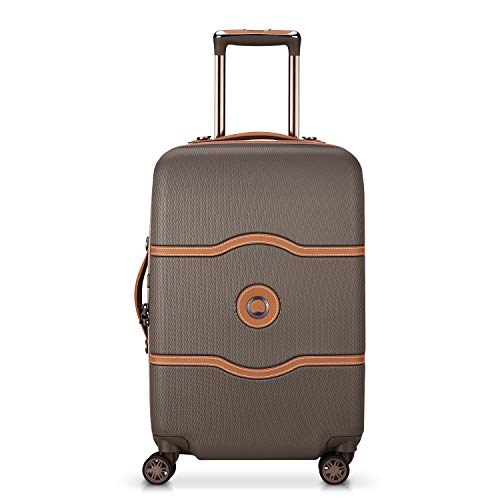
The Best Delsey Paris Luggage Set 2026
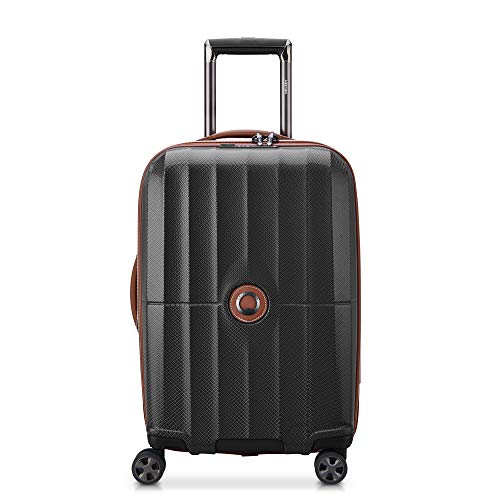
Top 10 Delsey Softside Luggage Picks for Stress-Free Travel

11 Best Guest Room Luggage Rack of 2026 To Protect Clean Bedding

11 Best Grom Luggage Rack of 2026 For Direct Bolt-On Fit