What Are the Key Benefits of Smart Luggage?

Smart luggage can help you locate a bag, charge your phone, or secure your belongings. The useful features vary, so a bag may offer only one of these benefits or none of the others.
Before choosing one for a flight, check that its battery can be removed if your airline requires it and that the full bag, including wheels and handles, fits the carry-on size limit. Think about whether you’ll use its extra features often enough to make them worth the added hassle. Here’s what each feature can and can’t do, and what to confirm before you travel.

- TLR Rank9.7
TLR Rank is a ranking system developed by TravelLuggageReviews.com. TLR Rank has no relationship or impact from any manufacturers or sales agent websites. Learn more
- BrandSweetcrispy

- TLR Rank7.5
TLR Rank is a ranking system developed by TravelLuggageReviews.com. TLR Rank has no relationship or impact from any manufacturers or sales agent websites. Learn more
- BrandAmazon Essentials
Last update on 2026-11-15 / Affiliate links / Images, Product Titles, and Product Highlights from Amazon Product Advertising API
What Smart Luggage Does, and Why Features Vary
Smart luggage is a suitcase with one or more added features, such as bag tracking, a place to connect a phone charger, or a built-in lock. The word “smart” does not mean every bag has all of these features. One carry-on may help you find its reported location, while another may offer charging but no tracking at all.
That difference matters at the airport. A feature only helps if the bag has it, you know how it works, and you can use it within the airline’s rules. Before paying for extra features, look at the specific bag’s product details and instructions rather than assuming that “smart luggage” promises a standard set of functions.
Tracking may help you see where a bag has reported its location, but it cannot guarantee that you will recover a missing suitcase. Charging may give you a handy place to connect your phone, but it does not mean the bag supplies unlimited power. A lock may make casual access less convenient, but it cannot prevent every kind of theft.
Benefits You May Notice During a Trip
Tracking can help you locate a bag
A tracking feature can be useful if your carry-on is separated from you or you set it down and forget where. Depending on how the feature works, you may be able to check a phone app for the bag’s last reported location or receive an alert when it moves away. That can narrow down where to look in a crowded terminal or hotel lobby.
Tracking has limits. The bag needs to have the right tracking feature, and the feature must be able to report a location. The product’s instructions should explain whether it relies on a nearby phone, a network of other devices, or another method. If a suitcase is in a place where its tracker cannot send or update a location, the information may be delayed or unavailable.
So, treat tracking as a helpful clue, not a promise that a bag can always be found. Check how the tracker is set up, whether it needs a separate app or service, and what happens if its battery runs out. If you often carry valuables or need to know where a bag is, tracking may be more useful to you than it is to someone who keeps a carry-on beside them.
Phone charging can make airport waits easier
Some smart bags have a built-in battery connection or a place to keep a separate power bank. You can connect your phone while waiting at the gate, instead of searching for an open outlet or holding a charger cable near a wall. That can be handy when your phone handles your boarding pass, travel messages, maps, and calls.
Check exactly what the bag includes. Some bags may have a charging port but require you to provide the power bank yourself. A port is the place where you plug in a cable; it is not necessarily a power source. The manufacturer’s instructions should explain what battery is needed, how it connects, and whether the battery can be removed from the bag.
Charging also depends on having a charged battery and the right cable. If you already carry a power bank, a bag’s charging setup may simply make that battery easier to reach. If you rarely need to charge away from an outlet, this feature may add little value.
A built-in lock can add a layer of security
A lock may make it harder for someone to open a suitcase casually while it sits beside you or in a hotel room. It can also help keep zipper pulls together during a trip. The exact protection depends on the lock and the way the bag is built, so do not treat a lock as a guarantee that nobody can get into the luggage.
Read the lock instructions before leaving home. Make sure you know how to set and open it, and keep the opening method or code somewhere you can reach. A lock is less helpful if you cannot open your own bag at security or after arriving at your destination.
Checks to Make Before You Choose a Smart Carry-On
Use these steps before buying or packing a smart carry-on. The bag’s features, battery setup, and outside size all affect whether it will be useful and practical on your trip.
- Write down the features you will actually use. Decide whether you want tracking, phone charging, a lock, or a particular combination. If you mostly keep your bag beside you and carry a charged power bank, you may not need tracking or built-in charging.
- Read the feature details for the exact bag. Look for what comes with the suitcase and what you must supply yourself. Check how the tracker reports a location, whether charging needs a separate battery, and how the lock opens. This prevents a port or feature name from sounding more capable than it is.
- Find out whether the battery comes out. A removable battery is a battery you can take out of the bag. Check the manufacturer’s instructions to confirm whether the battery is removable and how to remove it without damaging the bag.
- Check the airline’s current battery rules. Look at the airline’s own rules for batteries in carry-on bags and for batteries that can or cannot be removed from luggage. Rules can depend on the battery and the airline. If the instructions are unclear, ask the airline before you travel rather than finding out at the gate.
- Confirm how to carry the battery if it must come out. Check the airline’s directions for the removed battery, including where it may be carried and any limits that apply. Follow the bag maker’s directions for removing it. Do not assume that a battery can stay inside simply because the suitcase is accepted as a carry-on.
- Measure the bag’s outside dimensions. Check the full height, width, and depth, including wheels and handles. Compare those measurements with the carry-on limit for the airline and route you are using. A bag that fits one airline’s cabin rules may be too large for another airline’s limit.
- Check the weight rule, too. Some airlines set a weight limit for cabin bags, and the limit can vary by airline and route. Look up the current rule and compare it with the packed bag, not just the empty suitcase. A bag that meets the size limit can still be a problem if it exceeds an airline’s weight limit.
- Consider what happens if the bag is gate-checked. If staff require you to put the suitcase in the hold, you may need to remove its battery first, depending on the airline’s rules. Make sure you can get to the battery without unpacking everything. This is especially useful if overhead space is full or the flight changes to a smaller aircraft.
- Decide whether the added steps are worth it. Think about setting up an app, charging a battery, carrying a cable, and following battery rules. If those steps feel like a burden and you would rarely use the features, ordinary luggage may be a simpler fit.
When Smart Features Help, and When Regular Luggage Is Enough
Smart features are most useful when they solve a problem you face often. If you travel with a low phone battery, a charging setup may make airport delays less stressful. If you worry about setting down a bag or having it separated from you, tracking may offer useful location information. If you want to keep zipper pulls together, a built-in lock may suit that preference.
Regular luggage may be enough if you keep your carry-on close, bring a separate charger, and do not need a bag tracker. You can also avoid having to manage an extra battery or learn an app. That simplicity can matter when you are moving between flights, packing in a hurry, or handing a bag over at the gate.
Do not let smart features distract you from whether the suitcase fits your trip. A convenient charging port cannot make an oversized bag fit an overhead bin. For help thinking about airline size limits, see this guide to carry-ons for avoiding gate checks. If your route has tighter cabin limits, review the advice on carry-on size confidence for international travel.
A practical choice comes down to the feature you will use, the battery rules for your airline, and the bag’s full outside measurements. If any of those details are missing from the product information, ask the manufacturer or check the airline’s current carry-on and battery rules before deciding. Do not assume that an unclear battery setup or size will be accepted.
FAQs
Can smart luggage help me find a lost bag?
It may show a bag’s reported location or last known location, depending on the tracking feature. It cannot guarantee that the bag will be found, and updates may not be available in every place. Check how the tracker works and what conditions it needs to send a location.
Can I charge my phone from smart luggage?
Some smart luggage has a connection for charging, but the bag may not include a battery. Check whether you need to provide a separate power bank, what cable it uses, and how the battery is stored. A charging port alone does not mean the suitcase can supply power.
Will airlines let me bring smart luggage as a carry-on?
That depends on the bag’s outside size, the airline’s carry-on rules, and the battery setup. Check the airline’s current rules for both cabin bags and batteries, then compare the bag’s measurements with the carry-on limit. If the battery must be removed, confirm that it can be taken out and carried as the airline requires.
Is regular luggage enough for my trip?
It may be, especially if you keep your bag nearby and already have a way to charge your phone. Regular luggage can avoid extra setup and battery questions. Choose smart features only when they solve a problem you expect to face.
See also: best cost benefits large luggage.


Best Affordable Carry On Luggage 2026 - 11 Most Loving

The 12 Best Carry On Luggage For Bad Back 2026 - Top Choices

Best Lightest carry on luggage with wheels in 2026

Top Airport Traveling Suitcases: Our 11 Best Picks
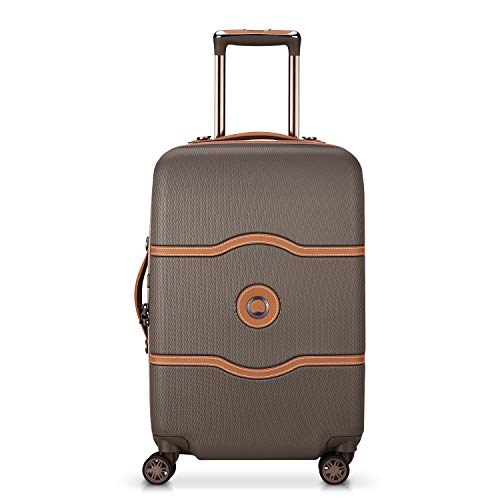
The Best Delsey Paris Luggage Set 2026
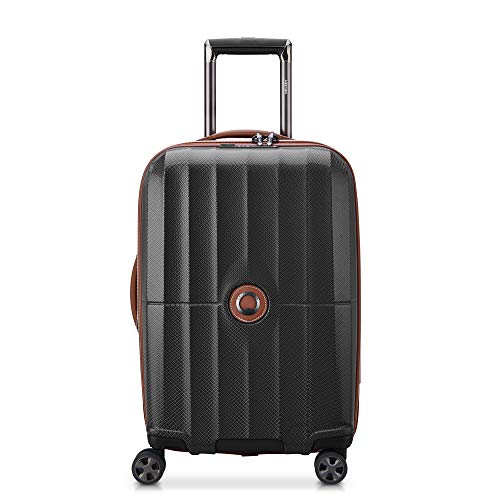
Top 10 Delsey Softside Luggage Picks for Stress-Free Travel

11 Best Guest Room Luggage Rack of 2026 To Protect Clean Bedding

11 Best Grom Luggage Rack of 2026 For Direct Bolt-On Fit