What Mobile Payment Apps Work Internationally?

Before you leave, check whether your bank card is set up for phone payments and can be used abroad. Apple Pay and Google Pay work at many overseas shops that let you pay by tapping your phone, but neither works everywhere.
Success depends on three things: the shop must accept phone payments, your bank must allow your card to be used with the app overseas, and the shop must take the card network linked to your app. You may also need internet for some payments. A physical card and a little local cash can help if your phone payment is declined. Here’s how to check what is likely to work before your trip.

- TLR Rank7.5
TLR Rank is a ranking system developed by TravelLuggageReviews.com. TLR Rank has no relationship or impact from any manufacturers or sales agent websites. Learn more
- BrandAmazon Essentials
Last update on 2026-11-25 / Affiliate links / Images, Product Titles, and Product Highlights from Amazon Product Advertising API
Why does phone payment acceptance vary?
A phone payment can fail even when the shop has a tap symbol. The shop, your phone wallet, your bank, and the card linked to the wallet all need to work together. A problem with any one of them can stop the payment.
For example, a shop may accept contactless payments but not accept the card network tied to your phone wallet. Or your bank may block a purchase because it looks unusual while you’re abroad. A small neighborhood shop may also take cash only, even if larger stores nearby accept phone payments.
Contactless payment means paying by tapping your phone or card near the shop’s payment terminal. Apple Pay and Google Pay usually work where the shop accepts contactless payments and your linked card is supported for use there. But that does not mean every shop, card, or country will accept them.
Your phone also needs to be set up before you leave. If you wait until you reach a checkout to add a card or confirm your bank’s rules, you may need a text message or bank approval that’s difficult to get while traveling. Set up your wallet at home and keep another way to pay within reach.
Where are Apple Pay, Google Pay, and PayPal used?
Apple Pay is mainly used for in-person payments with an iPhone or compatible Apple device. It can be convenient at a café, shop, or transit reader that accepts contactless payments. Before relying on it abroad, check that your specific bank card can be added to Apple Pay and used internationally.
Google Pay can also be used for in-person payments at contactless terminals, when the phone, country, bank, and card all support the payment. The available features can vary by country and device. Check your bank’s information and Google Wallet’s availability details for your destination rather than assuming your setup at home will work unchanged.
PayPal is more commonly offered for online purchases than for paying by phone at a shop counter. A hotel, travel site, or online store may show PayPal at checkout, while a local café may not accept it in person. Check the merchant’s payment options before you plan to use PayPal for an in-person purchase.
These apps do not replace the card or account behind the payment. The phone wallet sends payment details connected to your card, and your bank still needs to approve the purchase. If the linked card is blocked, expired, or not allowed for overseas use, tapping your phone may not solve the problem.
Think of the app as the way you present your payment, not as a separate source of money. The shop must accept that payment method, and the card issuer must allow the transaction. Check both sides before you travel.
How can you check support before leaving?
Use this checklist before your trip. If a step is unclear, ask your bank or check its official app or website while you still have reliable access to your account.
- Check your destination. Look up whether Apple Pay or Google Pay is available for in-person payments where you’re going. Availability can differ between countries, and features may not be the same everywhere.
- Check your exact card. In your bank’s app or help pages, look for confirmation that your card works with your phone wallet and can be used abroad. If you have more than one card, check each one separately.
- Check the card network. Find the network name on your physical card or in your bank’s card details. Ask your bank whether that card is accepted at shops in your destination, since acceptance can vary between locations and merchants.
- Set up the wallet at home. Add the card, follow any bank approval steps, and make sure the card appears in your phone wallet. Do not wait until you’re traveling to learn that your bank needs an extra confirmation.
- Check travel controls. Look in your bank’s app for overseas-use settings, spending limits, or a way to contact the bank. If you’re unsure whether you need to tell the bank about your trip, ask it directly.
- Check what happens if the phone is lost. Make sure you know how to contact your bank and how to freeze or remove the card from your wallet. Keep the bank’s contact details somewhere you can reach without the phone.
A bank’s website or app is usually the best place to confirm whether a particular card works with a wallet. If the information is vague, contact the bank before departure. Ask a specific question: “Can I use this card through Apple Pay or Google Pay for in-person purchases in my destination?”
Do not treat a successful payment at home as proof that the card will work abroad. It confirms that your wallet is set up, but it does not confirm acceptance by foreign shops or your bank’s overseas rules.
Do phone payments need internet?
For many in-person taps, your phone may not need an active internet connection at the checkout. The phone and payment terminal communicate over a short distance, much like a contactless card. Still, the exact rules depend on your phone, wallet, card, and the payment service.
Do not assume that every payment will work offline. A purchase may still need approval from your bank or the shop’s payment system. Some app features, account changes, or online payments do need internet access, and your wallet may need to connect again after some time or use.
Before you leave, confirm that your card is already added and approved in the wallet. Keep your phone charged, and avoid removing or changing the card while you’re away unless you have a reliable connection and a way to complete any bank checks.
If a tap fails, do not keep repeating it without checking what the screen or terminal says. The payment may have been declined, or the shop may not accept that method. Ask the cashier whether the payment went through before trying another method, so you don’t accidentally pay twice.
Could you pay extra fees abroad?
A foreign transaction fee is a fee your bank may charge for purchases in another country. The fee depends on your card and account terms, not simply on whether you tapped a phone or used a physical card. Check your bank’s fee information before the trip.
At some checkouts or cash machines, you may be asked whether to pay in the local currency or in your home currency. The exchange rate and extra charges can differ depending on the option and the card provider. Read the screen carefully, and check your bank’s guidance so you know how it handles currency conversion.
The phone wallet itself does not guarantee that a purchase will be fee-free. If a card charges for foreign purchases, using that card through Apple Pay or Google Pay may still lead to a fee. Ask your bank which charges apply to purchases made with your card abroad.
Also check whether your card has limits or controls that could affect a purchase. A large hotel bill or a series of purchases may be handled differently from a small café payment. Your bank can explain its rules and tell you how to get help if a payment is declined.
What should you do if a payment fails?
Stay at the counter and ask whether the payment was declined or whether the terminal could not read the phone. If the shop cannot confirm what happened, check your bank app for a pending charge before trying again. This helps reduce the chance of making the same payment twice.
- Try the physical card linked to the wallet. A phone or wallet issue may be the cause, though the card can still be declined if the bank blocks the purchase.
- Use another card if you have one. Keep it separate from your phone, so it remains available if the phone battery runs out or the wallet stops working.
- Carry some local cash. Cash can help at a small shop, market stall, or other place that does not accept cards. Get it from a source you trust, and keep it secure.
- Contact your bank through an official channel. Use the number on the back of your card or the bank’s official app. Avoid sharing your card details or login codes with someone who approaches you unexpectedly.
If the terminal says the payment was declined, ask the bank whether it blocked the purchase or whether the card has a travel setting that needs attention. If the terminal cannot read the phone, ask whether the shop can take the physical card instead. A second payment method is the simplest way to avoid being stuck while you sort it out.
FAQs
Can you use a phone wallet on public transit abroad?
Some transit systems accept contactless phone payments, while others require a local travel card, ticket, or app. Check the transit system’s official payment instructions before you travel. Do not assume that a wallet accepted at shops will also work on buses or trains.
Is a phone wallet safer than carrying a card?
A phone wallet can help keep your card details from being shown to a shop, but it does not remove the risk of losing your phone or having a payment declined. Use your phone’s screen lock and know how to disable the wallet if the phone goes missing. Keep a physical payment option as backup.
What if your phone battery dies at checkout?
You may not be able to use the wallet if the phone has no power. Pay with your physical card or local cash instead. Keep a backup payment method separate from the phone, and charge the phone before long travel days.
Should you add a local payment app for a trip?
Only add one if an official local provider or merchant says it is needed and you can confirm that visitors can sign up. Some local apps may require a local bank account, phone number, or identity check. Confirm those requirements before relying on the app for everyday purchases.

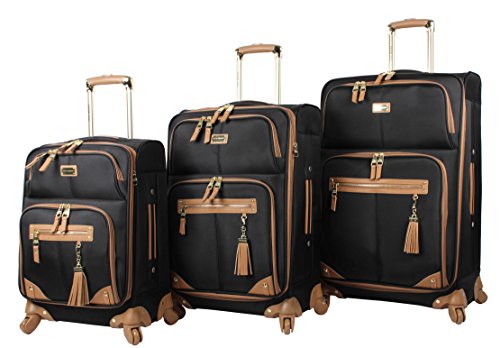
Best Affordable Carry On Luggage 2026 - 11 Most Loving

The 12 Best Carry On Luggage For Bad Back 2026 - Top Choices

Best Lightest carry on luggage with wheels in 2026

Top Airport Traveling Suitcases: Our 11 Best Picks
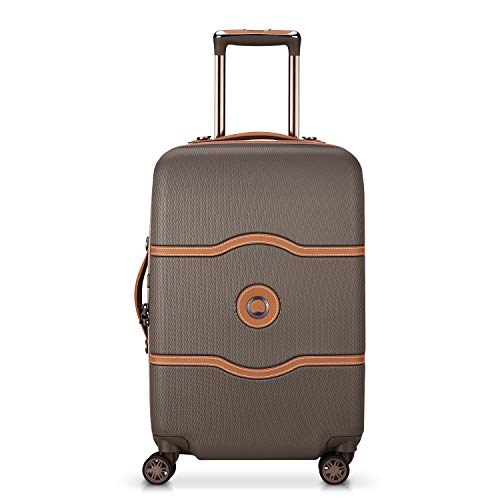
The Best Delsey Paris Luggage Set 2026
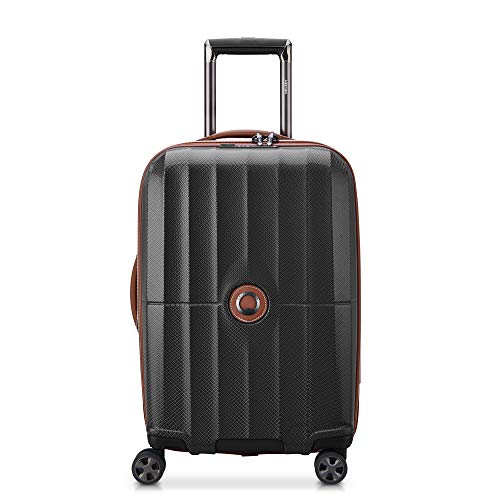
Top 10 Delsey Softside Luggage Picks for Stress-Free Travel

11 Best Guest Room Luggage Rack of 2026 To Protect Clean Bedding

11 Best Grom Luggage Rack of 2026 For Direct Bolt-On Fit