Why Did Bluesmart Smart Luggage Shut Down?

Before taking a Bluesmart bag to the airport, check whether its rechargeable battery can be removed and confirm your airline’s current rules. Bluesmart closed after airlines began requiring smart-luggage batteries to be removable, making some bags harder to use as designed, and the company was also struggling to keep its business going.
What you can still do with a bag depends on whether its battery comes out, whether its app features still connect, and whether you need those features or just a suitcase. A bag that cannot meet your airline’s battery rules may cause trouble at check-in, while app support can vary. Here’s what led to the shutdown and what to check before buying or flying with one.

- TLR Rank9.7
TLR Rank is a ranking system developed by TravelLuggageReviews.com. TLR Rank has no relationship or impact from any manufacturers or sales agent websites. Learn more
- BrandSweetcrispy

- TLR Rank7.5
TLR Rank is a ranking system developed by TravelLuggageReviews.com. TLR Rank has no relationship or impact from any manufacturers or sales agent websites. Learn more
- BrandAmazon Essentials
Last update on 2026-11-15 / Affiliate links / Images, Product Titles, and Product Highlights from Amazon Product Advertising API
How battery-removal rules affected Bluesmart luggage
Bluesmart bags included rechargeable batteries for smart features such as charging a phone and connecting the bag to an app. Airline rules began requiring travelers to remove a smart bag’s battery if the bag had to be checked. The concern was that a rechargeable battery inside a bag in the aircraft hold could be harder to reach if it overheated.
That rule created a practical problem for smart luggage. If a bag’s battery came out easily, a traveler could remove it and keep it in the cabin while checking the bag. If the battery could not be removed, or the traveler could not remove it when asked, the airline might not accept the bag for a checked flight.
The rule did not mean every smart bag was automatically banned from flying. The important detail was whether the battery could be removed, and what the airline allowed for that specific trip. A bag that worked for an overhead bin could still be a problem if a full flight or a gate change meant it had to be checked.
Airline requirements can differ and may change, so don’t rely on an old product page or another traveler’s experience. Before flying, check the airline’s current rules for bags with rechargeable batteries. If you cannot confirm that the battery comes out, ask the airline before you leave for the airport.
The rule was part of a wider business problem
The battery rule made smart luggage harder to use as intended, but it was not the whole reason Bluesmart shut down. The company also could not keep its business going. The rule change added pressure to a business that already had broader difficulties.
That distinction matters if you own a Bluesmart suitcase. The airline requirement explains why the bag’s design became less convenient for air travel. The company’s closure explains why you should be cautious about expecting ongoing help, app support, or replacement parts.
It would be misleading to say that one airline rule alone caused the shutdown. It would also be misleading to assume every bag became unusable the moment the company closed. A Bluesmart suitcase may still work as ordinary luggage, but its app-connected features depend on whether the bag, app, and any company-run services still work together.
What Bluesmart owners should check before flying
Start with the battery, not the app. Look for a release button, latch, or marked compartment on the bag. Check the bag’s instructions if you still have them, and confirm that the battery can be removed without taking apart the suitcase.
Then check the airline’s current policy. Ask whether the bag can travel in the cabin with the battery installed, and what you must do if the bag is moved to the hold at the gate. If the airline requires removal, confirm that you can remove the battery and carry it with you as directed.
Use this short checklist before travel:
- Find the battery compartment and confirm whether the rechargeable battery comes out.
- Check the airline’s current battery and smart-bag rules for your flight.
- Ask what to do if the bag has to be checked at the gate.
- Keep the battery with you if the airline says it must be removed.
- Plan another bag if you cannot confirm that the suitcase meets the airline’s requirements.
Don’t assume that a working phone charger means the bag is ready to fly. The battery may still power a feature while being difficult or impossible to remove. If you cannot find the release or are unsure how it works, contact the airline before travel and ask what it will accept. Do not force open the compartment or damage the bag trying to remove the battery.
Also consider the size of the bag and the airline’s carry-on rules. A bag that fits one airline’s overhead bin may not fit another’s, especially on an international trip. Check the airline’s published size limits and measure the bag at its outer edges, including wheels and handles. A guide to luggage for international airline size limits may help you think through sizing, but the airline you’re flying sets the rule for your trip.
If the battery is swollen, cracked, unusually hot, or giving off an odor, stop using it and keep it away from heat and flammable items. Don’t try to charge or remove a damaged battery. Ask the airline how to handle it, and contact a qualified battery or electronics service provider for safe disposal guidance.
What to confirm before buying a used Bluesmart bag
Before paying, decide whether you want a regular suitcase or the connected features. If you mainly need a bag to carry clothes, a Bluesmart suitcase may still be useful if its basic parts are in good condition. If you are paying extra for app access, tracking, or other smart functions, confirm that those features work now rather than assuming they will.
Ask the seller to show you the exact bag and its battery compartment. Have them demonstrate how the battery comes out, if it is designed to be removable. Check that the compartment closes securely and that the battery is included only if you want it and can verify its condition.
Ask which app features the seller can currently access and whether the bag connects to the app on a current phone. A past connection or an old screenshot does not prove that the feature will work for you. The app or connected services may no longer be supported, and the status could vary by bag, app version, or service.
Before you hand over money, confirm these points:
- Whether the battery is present, removable, and in good visible condition.
- Whether the app features you care about connect and respond on your phone.
- Whether the seller can explain any feature that depends on an online service.
- Whether the wheels, handles, zippers, and locks move and close properly.
- Whether your airline will accept the bag and battery for your planned trip.
Be especially cautious if the seller cannot show the battery release or says the app “should” work. If the smart features are the main reason you want the bag, don’t pay as though they are guaranteed. If you only need a suitcase, judge it by its condition and whether it meets your airline’s size and battery rules. Travelers worried about a last-minute gate check can also review carry-on options intended to help avoid gate checks, while still confirming size limits with their airline.
FAQs
Can I still use a Bluesmart suitcase?
Possibly. You may be able to use it as ordinary luggage if the suitcase is in usable condition and your airline accepts its battery arrangement. The smart features are a separate question because app access or connected services may no longer work.
Does the Bluesmart app still work?
Its status may depend on the bag, app version, phone, and any service the feature needs. Don’t assume app support is available just because the app is installed or the bag connected in the past. If you’re buying used, ask to see the specific features working on your phone before paying.
Can I take a Bluesmart battery on a plane?
Airline rules depend on the battery and how it is carried, so check your airline’s current instructions before travel. If the airline requires the battery to be removed, you need to be able to remove it and carry it as directed. If you can’t confirm the battery’s status or removal method, ask the airline before bringing the bag to the airport.
See also: best carary on luggage tie down strap.


Best Affordable Carry On Luggage 2026 - 11 Most Loving

The 12 Best Carry On Luggage For Bad Back 2026 - Top Choices

Best Lightest carry on luggage with wheels in 2026

Top Airport Traveling Suitcases: Our 11 Best Picks
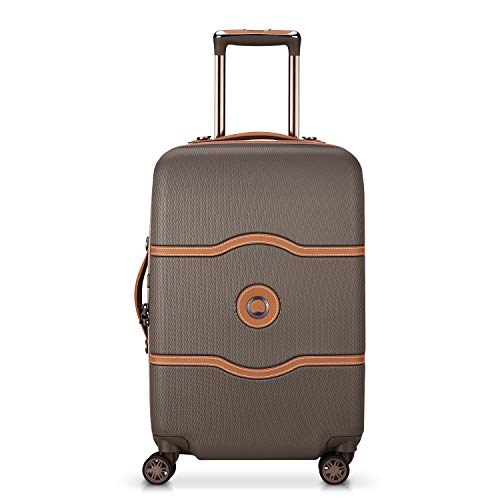
The Best Delsey Paris Luggage Set 2026
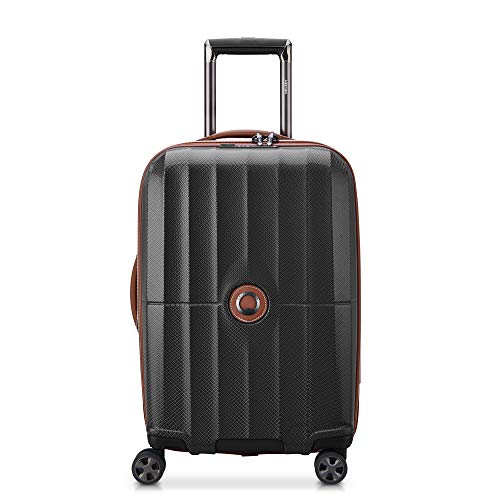
Top 10 Delsey Softside Luggage Picks for Stress-Free Travel

11 Best Guest Room Luggage Rack of 2026 To Protect Clean Bedding

11 Best Grom Luggage Rack of 2026 For Direct Bolt-On Fit