Why Shouldn't You Buy Smart Luggage? Check the Battery Rules

Skip smart luggage if its battery can’t come out or you won’t use its electronic features. A bag that can’t meet an airline’s battery rules may leave you repacking at the airport or unable to bring it as planned. Extra features also mean more charging and another part to keep working.
The decision depends on whether you can remove the battery easily, what your airline allows for installed and spare batteries, and whether the features earn their place in your travel routine. Check the airline’s current rules and the bag maker’s instructions before buying. Here’s what to look for, and what to do if you have to check the bag.

- TLR Rank7.5
TLR Rank is a ranking system developed by TravelLuggageReviews.com. TLR Rank has no relationship or impact from any manufacturers or sales agent websites. Learn more
- BrandAmazon Essentials
Last update on 2026-11-15 / Affiliate links / Images, Product Titles, and Product Highlights from Amazon Product Advertising API
Why smart luggage can create airport hassles
Smart luggage adds electronics to a bag you otherwise only need to pack and roll. Depending on the model, those electronics might include a built-in battery for charging a phone, a tracking feature, a digital lock, or another powered function. Each feature can be useful, but each one gives you another thing to understand and keep working.
The biggest concern is the battery. Airlines have rules for batteries because they can pose a fire risk, and the rules can depend on the battery and how it is packed. If an airline requires the battery to be removed when a bag goes in the cargo hold, a battery that is built into the case and cannot come out may leave you with a problem at check-in or the gate.
That can matter even if you plan to carry the bag onto the plane. A full flight, a small overhead bin, or a change in your travel plans can mean the airline asks you to check your carry-on. If the battery cannot be removed, you may not be able to check the bag as planned. Ask the airline what to do before you travel, rather than trying to sort it out while people are waiting behind you.
Smart features also bring ordinary upkeep. A charging port may need a cable, a battery may need charging, and an electronic part may stop working or need replacement. If you rarely use those features, you could end up managing extra parts without getting much benefit. A regular carry-on avoids that particular set of chores.
Checks to make before you buy or board
Use these steps before you commit to a smart bag and again before a flight. Airline rules can vary, so the bag’s sales page alone is not enough to settle whether you can take it on your trip.
- Find out whether the battery comes out. Read the bag’s instructions or ask the maker where the battery is and how to remove it. Look for clear directions, not just a claim that the bag is airline-friendly. If you cannot tell whether the battery can be taken out, do not assume it can.
- Check the battery information. Look in the instructions or on the battery for its listed details. The airline may need those details to decide whether the battery is allowed. If the information is missing or unclear, ask the bag maker before buying and give the airline the exact information it requests.
- Ask your airline about the route you will fly. Check the airline’s current battery rules, including what applies to a battery fitted in a bag, a battery taken out of a bag, and a spare battery. If your trip uses more than one airline, check with each one. Do not rely on a rule you remember from another trip.
- Read the bag maker’s removal instructions. Confirm whether you can remove the battery without tools and whether the instructions explain how to carry it after removal. A battery that is technically removable may still be awkward to access when you are at the gate with a full bag.
- Decide whether you will use the features. Think about a normal travel day. Will you use the charging feature often enough to keep the battery charged, or will a feature such as tracking solve a real problem for you? If you do not expect to use the electronics, a simpler bag may be easier to manage.
- Check how repairs and replacements work. Ask the maker whether the battery or electronic parts can be replaced and where to get help. These details matter if a charging feature stops working just before a trip. Do not assume every shop can repair a feature built into a suitcase.
- Make a plan for an unexpected gate check. Before you leave, know how to remove the battery and where to put it if the airline requires removal. Keep the bag’s instructions accessible. If you cannot follow the airline’s directions with the battery fitted, the bag may not suit your travel plans.
If the airline asks you to check the bag
First, ask the airline staff what their current rule requires for that bag’s battery. Do not guess, and do not leave a battery in the case if staff say it must be removed. The next step depends on whether the battery comes out and whether the airline allows it to travel in the cabin.
- Ask whether the bag can be checked with the battery installed. Tell the staff the bag is smart luggage and show them the battery information if they ask for it. Rules may differ for a battery fitted inside the bag and one packed separately, so get an answer for your exact situation.
- If removal is required, follow the maker’s instructions. Remove the battery only as the instructions describe. Do not force a panel open or pull at wires. If the battery is stuck or the removal steps are unclear, stop and ask the airline staff or the bag maker for guidance.
- Ask where the removed battery must go. If the airline allows it in the cabin, carry it as staff direct. Spare batteries commonly have separate handling rules, so do not put a removed battery in checked baggage unless the airline confirms that is allowed.
- Protect the battery from damage or contact with loose items. Follow the airline’s instructions for carrying it. Keep it from being crushed or having its contacts touch metal objects, such as keys, if the instructions call for that protection.
- If the battery cannot be removed, tell staff before handing over the bag. Do not claim the battery has been removed or try to hide it. Ask whether the airline can accept the bag or whether you need another arrangement. If the airline will not accept it, you may need to keep the bag with you or change your plan.
A gate check can happen after you have already packed and boarded, so the easiest time to sort out battery access is before travel. Keep any small tools the maker requires out of the plan unless the instructions and airline rules clearly allow them. Better yet, choose a bag that lets you remove the battery by hand, without a complicated process.
Smart luggage or a regular carry-on?
A smart bag may make sense if you will use its features and can manage its battery. For example, a traveler who regularly charges a phone from the bag may value that feature. Someone who wants to locate a bag may find a tracking feature useful, as long as they understand how it works and what it needs to stay active.
A regular carry-on is usually the simpler choice if you want fewer electronics to charge, remove, or replace. It also avoids the extra battery question if the airline asks you to check the bag. That does not mean every regular bag is automatically right for every flight. You still need to check the airline’s size and weight limits for your route.
Compare the everyday benefit with the extra steps. If you would have to remember a charging cable, monitor the battery, and learn how to remove it, ask whether the feature earns that space in your routine. If you would rather pack and go, a conventional carry-on may be a better fit.
Neither choice removes the need to check current airline rules. A smart bag’s size, battery, and features are separate questions. Confirm the permitted carry-on size with the airline, then confirm the battery rules with the same airline and the bag maker.
A simple buy-or-skip rule
- Consider buying if the battery can be removed easily, the airline confirms how it may travel, and you expect to use the electronic features.
- Skip it if the battery cannot be removed, the airline’s answer is unclear, or you do not want another device to charge and maintain.
- Wait before deciding if the maker does not explain battery removal or provide the battery information your airline asks for. Get those answers before you pay.
For an upcoming trip, check the rules for the airline you will actually fly, not just the airline you usually use. Then keep the bag’s removal instructions where you can reach them. If either the airline or the maker cannot give you a clear answer, choosing a regular carry-on avoids relying on a guess.
FAQs
Can I take a smart luggage battery on a plane?
It depends on the battery and the airline’s current rules. Check whether the airline allows it installed in the bag, removed and carried in the cabin, or as a spare. Confirm the answer with the airline using the battery information from the bag maker.
Does the battery have to come out if I check the bag?
Some airlines require a removable battery to come out before the bag is checked, while rules can vary by battery and airline. Ask your airline what applies to your specific bag. If removal is required, follow the maker’s instructions and carry the battery as the airline directs.
What if the battery will not come out?
Do not force it or hide the battery from airline staff. Contact the bag maker to confirm whether the battery is removable, and ask the airline whether it will accept the bag. If the airline does not allow the bag with the battery installed, you may need a different bag or travel arrangement.
Are smart features worth the extra hassle?
They may be worthwhile if you will use them and can follow the battery rules without difficulty. If you rarely use the features, the charging and upkeep may not be worth the added work. A regular carry-on is a straightforward option when you want fewer electronics to manage.
Related guides: why you shouldnt buy smart luggage and why did bluesmart smart luggage shut down.


Best Affordable Carry On Luggage 2026 - 11 Most Loving

The 12 Best Carry On Luggage For Bad Back 2026 - Top Choices

Best Lightest carry on luggage with wheels in 2026

Top Airport Traveling Suitcases: Our 11 Best Picks
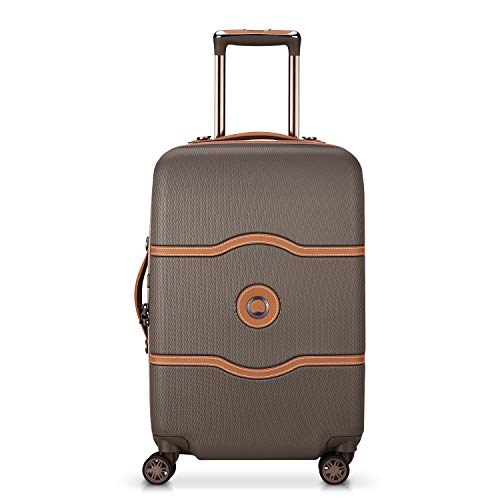
The Best Delsey Paris Luggage Set 2026
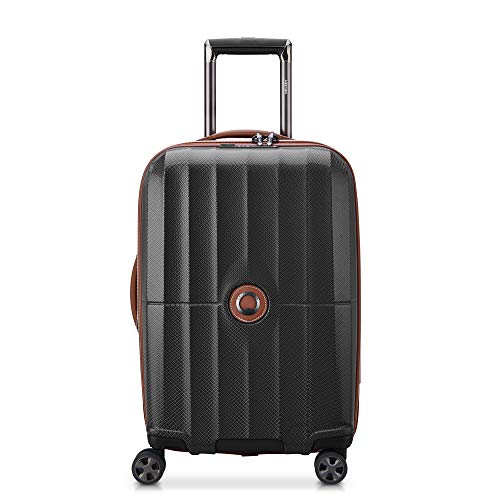
Top 10 Delsey Softside Luggage Picks for Stress-Free Travel

11 Best Guest Room Luggage Rack of 2026 To Protect Clean Bedding

11 Best Grom Luggage Rack of 2026 For Direct Bolt-On Fit