How to Receive Bank Text Codes Abroad Safely?

Bank codes can reach you abroad. Your usual number must be active, and your mobile carrier must let it connect to a local network and receive texts while you’re away. You usually need to keep your regular phone line available, even if you use a travel SIM or eSIM for data.
Before you leave, make sure the bank has your current number and ask your carrier whether incoming texts work abroad and may cost extra. A travel eSIM or Wi-Fi connection alone usually won’t receive a code sent to your home number. The bank may offer another way to confirm it’s you, such as an in-app prompt, so set that up ahead of time. Here’s what to check before departure and what to do if a code is delayed.

- TLR Rank7.5
TLR Rank is a ranking system developed by TravelLuggageReviews.com. TLR Rank has no relationship or impact from any manufacturers or sales agent websites. Learn more
- BrandAmazon Essentials
Last update on 2026-11-13 / Affiliate links / Images, Product Titles, and Product Highlights from Amazon Product Advertising API
The Short Version
- Your bank usually sends the code to the mobile number saved on your account, not to whichever SIM has data service.
- Keep your usual phone line available and check that your carrier lets it connect abroad and receive texts there.
- A travel SIM or eSIM can provide local data, but it usually does not replace your regular number for bank messages.
- If a code does not arrive, check the phone line and signal, then contact your carrier or bank through an official channel. Never share a one-time passcode with another person.
Why a Bank Code May Not Arrive Abroad
A one-time passcode, sometimes called an OTP, is a short code your bank sends once to help confirm it is you. The bank normally sends it to the mobile number listed on your account. If that number is out of date, the message may go to an old phone or number even when your current phone has strong internet access.
Your usual number also needs a working connection to a mobile network in the country you are visiting. Roaming means using your usual phone service in another country. Your carrier may connect your phone to a local partner network, but the connection and incoming text service depend on your carrier, plan, phone settings, and location.
A local SIM or eSIM can make maps and websites work without connecting your usual line. An eSIM is a digital SIM built into a phone. But internet access from that travel line does not automatically let it receive messages sent to your home number. Think of the lines as separate mailboxes: the bank sends the code to the mailbox registered with the bank.
Other reasons for a delay include weak coverage, the usual line being switched off, a phone set to the wrong line, or a bank message being held back by the carrier. Some banks may also limit where or how they send codes. The exact rules vary, so check with the bank if your phone appears connected but messages still do not arrive.
Prepare Your Bank and Phone Before You Leave
Take these steps while you still have reliable service at home. A quick check before departure can prevent a stressful scramble when you need to approve a payment or sign in from a hotel.
- Confirm the number on your bank account. Open the bank’s app or website using its official address, then check the phone number in your profile or security settings. If you see an old number, update it before traveling and follow the bank’s identity checks. Do not wait until you are abroad if the bank requires extra steps to change it.
- Ask your carrier about the usual line. Confirm that your plan can connect to a mobile network in the country you are visiting and receive text messages while roaming. Ask whether you need to turn roaming on, whether any account setting blocks service abroad, and whether receiving texts can lead to a charge. Charges and service rules vary by carrier and plan.
- Make sure you can use the usual line. If you plan to use a travel SIM or eSIM, check that your phone can keep the home line active at the same time. Phone settings differ. Find the controls for mobile lines and make sure you know which line is used for calls and texts before you leave.
- Ask the bank about a backup sign-in method. The bank may offer an in-app approval, a call, a security key, or another way to confirm your identity. Available options vary. Set up any backup while you can still sign in, and make sure you understand what to do if the phone has no service.
- Save official contact details. Keep the bank’s number and your carrier’s support details somewhere you can reach without signing in to the affected account. Use contact information from the bank’s official app, card, or website. Avoid numbers sent in unexpected messages or found in a suspicious link.
If your bank requires a text code to add a new number or turn on another sign-in method, arrange that before your trip. Do not assume you can make a security change from abroad without the old number. If you are unsure, ask the bank what it needs while you still have normal access.
If Your Phone Has No Signal or the Code Is Delayed
Start with the phone connection, then request another code only if the bank’s screen says it is safe to do so. Repeated requests can create confusion because an older code may arrive after a newer one, and some codes stop working once another is sent.
- Look at the status bar. Check whether the usual line shows a carrier name or signal bars. If your phone says there is no service, move to a place with better reception, such as near a window or outside where it is safe.
- Check which line is active. Open your phone’s mobile-line settings and confirm the home line is turned on. If the travel eSIM is selected for mobile data, that does not mean the home line is active for texts.
- Check roaming and network connection. Make sure the setting for using your usual service abroad is enabled if your carrier requires it. If the phone cannot connect, follow your carrier’s instructions for choosing a supported network. The menu names and steps vary by phone.
- Wait briefly and check messages again. A bank text can be delayed while the carrier passes it between networks. Check the regular messaging app, including any filtered or blocked-message area. Do not share a code that arrives late, even if someone says they need it to help.
- Request one fresh code if needed. Use the bank’s official app or website and follow the on-screen instructions. Enter the newest code only in the bank’s sign-in or payment screen. If the screen says the code expired or is incorrect, use the bank’s recovery option rather than sending the code to anyone.
- Switch to an approved backup method. If the bank offers an in-app prompt or another sign-in option, use it from the official app. A Wi-Fi connection may help the app reach the bank, but Wi-Fi alone does not deliver an ordinary text to a phone number that cannot receive it.
If you have a signal but still receive nothing, avoid changing several phone settings at once. Note what the phone shows, whether other texts arrive, and when you requested the bank code. Those details can help the carrier or bank identify where the delay is happening.
Keeping Your Home Line Active vs. Using a Travel SIM
Keeping the home line active: This gives the bank a chance to send a text to the same number saved on your account. The line still needs carrier service in the country you are visiting. Your carrier may charge for some roaming services, so ask whether incoming texts have a fee under your plan rather than assuming they are free.
Using a travel SIM or eSIM: This can provide local mobile service, often for data, depending on the plan. It does not usually change the number your bank has on file. If you turn off the home line and the bank sends a code to that number, the travel line generally cannot receive that message instead.
Using both lines: Some phones let you keep the usual line active for calls or texts while using the travel line for data. This can be useful, but the exact options depend on your phone, carrier, and plan. Check the line settings before relying on this setup, and confirm roaming terms with the home carrier.
Wi-Fi is not a replacement for mobile service for every text. Some phones and carriers support text messages over Wi-Fi under certain conditions, but availability varies. Ask your carrier whether your usual number can receive the bank’s messages over Wi-Fi abroad. Do not count on a travel eSIM’s internet connection to carry ordinary SMS messages for your home number.
Safe Alternatives and Workarounds to Avoid
Use only sign-in choices offered inside the bank’s official app or website. If the bank can verify you another way, follow its instructions directly. A bank employee should not ask you to tell them a one-time passcode, and you should not send it to a relative, travel companion, or person claiming to be support.
- Do not forward or share a code. Someone at home may be trying to help, but forwarding a code gives another person the means to confirm an action on your account. Read the code only into the bank’s own sign-in or approval screen.
- Do not follow unexpected links. If a text or email says your account is locked and asks you to enter a code, open the bank’s app yourself or type its known official address. A real-looking message can still be a trick.
- Do not give a caller your code. End the call if someone asks for the code, even if they claim to work for the bank or carrier. Call back using a number from the official app, your bank card, or the bank’s website.
- Do not keep requesting codes without checking. Pause and read the bank’s message. If you cannot tell which code is current, use the bank’s recovery steps or contact support through an official channel.
If you think someone else has seen a code or accessed your account, contact the bank immediately through its official number or app. Ask the bank to secure the account and review recent activity. Do not wait for the phone connection to improve before reporting a possible account risk.
When to Contact Your Carrier or Bank
Contact your carrier when the usual line has no service abroad, cannot connect to a local network, or receives other texts but not the bank’s messages. Ask whether incoming texts are enabled for your plan in that country and whether your line has a roaming block. If the carrier confirms the line can receive texts but the bank’s message is still missing, contact the bank.
Contact the bank if the number on file is wrong, the code never arrives despite a working line, the bank rejects a current code, or you need another way to confirm your identity. Use the bank’s official app or contact details from its website or card. Tell support what you see on the phone and whether other text messages are arriving, but never tell them the passcode itself.
If you cannot safely reach either company online, use a trusted phone and contact details you already know are official. Avoid public posts or messages that reveal your account number, password, security answers, or code. The bank and carrier can explain what they need to restore access without asking you to hand over a code for someone else to use.
FAQs
Do I need to keep my regular SIM turned on?
Usually, yes, if your bank sends codes to the number attached to that line. The line must also be able to connect abroad and receive texts under your carrier’s rules. Ask your carrier about roaming before you depend on it.
Will I be charged to receive a bank text abroad?
It depends on your carrier, plan, and destination. Ask the carrier whether incoming text messages while roaming have a charge. Do not assume that a message is free just because you did not send it.
Can I receive the code using Wi-Fi or a travel eSIM?
Wi-Fi or a travel eSIM can provide internet access, but that does not automatically deliver a text sent to your usual number. Some phone and carrier setups support texts over Wi-Fi, so confirm that with your carrier. Keep the home line available if the bank’s code is tied to it.
Can my bank send the code another way?
Possibly, but the choices depend on the bank and your account. Check the bank’s official app or contact support to ask about another sign-in method. Set up an available backup before travel when you can still access the account.
Related guides: how to keep houseplants watered while on vacation and what is the travel bank.


Best Affordable Carry On Luggage 2026 - 11 Most Loving

The 12 Best Carry On Luggage For Bad Back 2026 - Top Choices

Best Lightest carry on luggage with wheels in 2026

Top Airport Traveling Suitcases: Our 11 Best Picks
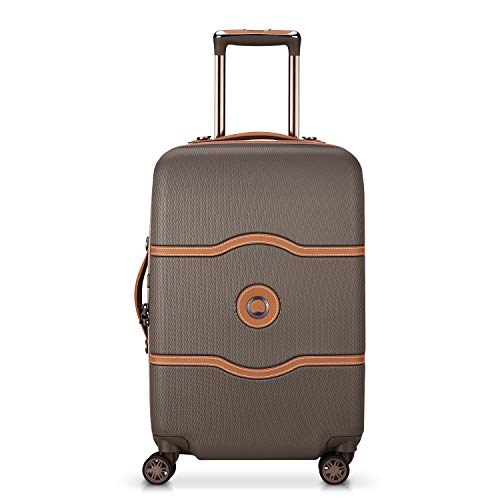
The Best Delsey Paris Luggage Set 2026
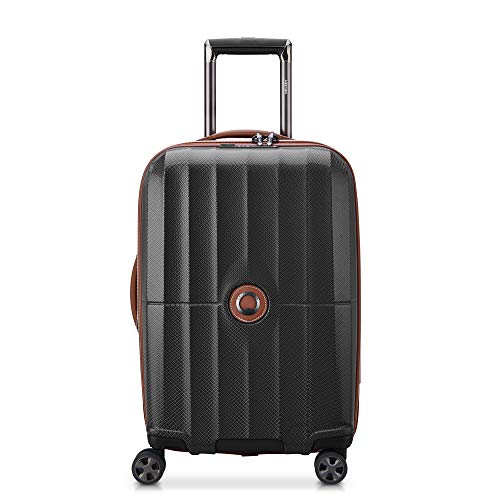
Top 10 Delsey Softside Luggage Picks for Stress-Free Travel

11 Best Guest Room Luggage Rack of 2026 To Protect Clean Bedding

11 Best Grom Luggage Rack of 2026 For Direct Bolt-On Fit